

Download Fon Spot – free Wi‑Fi sharing tool for Mac
Overview of Fon Spot
Fon Spot is a lightweight, trial‑version utility that lets Mac users turn their computer into a Wi‑Fi hotspot and share an existing Internet connection with nearby devices. First introduced in 2007, the software has been part of the Fon ecosystem, which aims to create a global network of shared Wi‑Fi access points. Although the current version (0.2) is modest by today’s standards, Fon Spot still offers a simple, secure way to broadcast a wireless signal without the need for dedicated hardware.
The application falls under the Internet Software category with a sub‑category of Wireless. It is built exclusively for macOS, supporting OS X 10.3 (Panther) and later releases. The program’s small footprint—just a few megabytes—means it won’t clutter your hard drive or slow down your system. Since its addition to our software catalog in 2007, Fon Spot has accumulated 893 downloads, reflecting a niche but loyal user base that values quick, on‑the‑fly Wi‑Fi sharing.
Security is baked into the core design. The software creates an encrypted WPA2 network, ensuring that only authorized devices can join. Because it operates as a trial version, users can evaluate the full feature set before deciding whether to upgrade to a paid plan that offers additional bandwidth management tools and analytics. If you’re looking for a free, secure, and straightforward way to extend your Mac’s Internet connection to smartphones, tablets, or laptops, Fon Spot is worth a closer look.
Key Features & Compatibility
- Instant Wi‑Fi hotspot creation from any active Ethernet or existing Wi‑Fi connection.
- WPA2‑protected network with customizable SSID and password.
- Automatic IP address allocation via built‑in DHCP server.
- Bandwidth throttling (available in the paid upgrade) to prevent network overload.
- Simple one‑click start/stop interface for quick toggling.
- Low‑resource consumption – runs smoothly on older Mac hardware.
- Log file generation for troubleshooting and connection history.
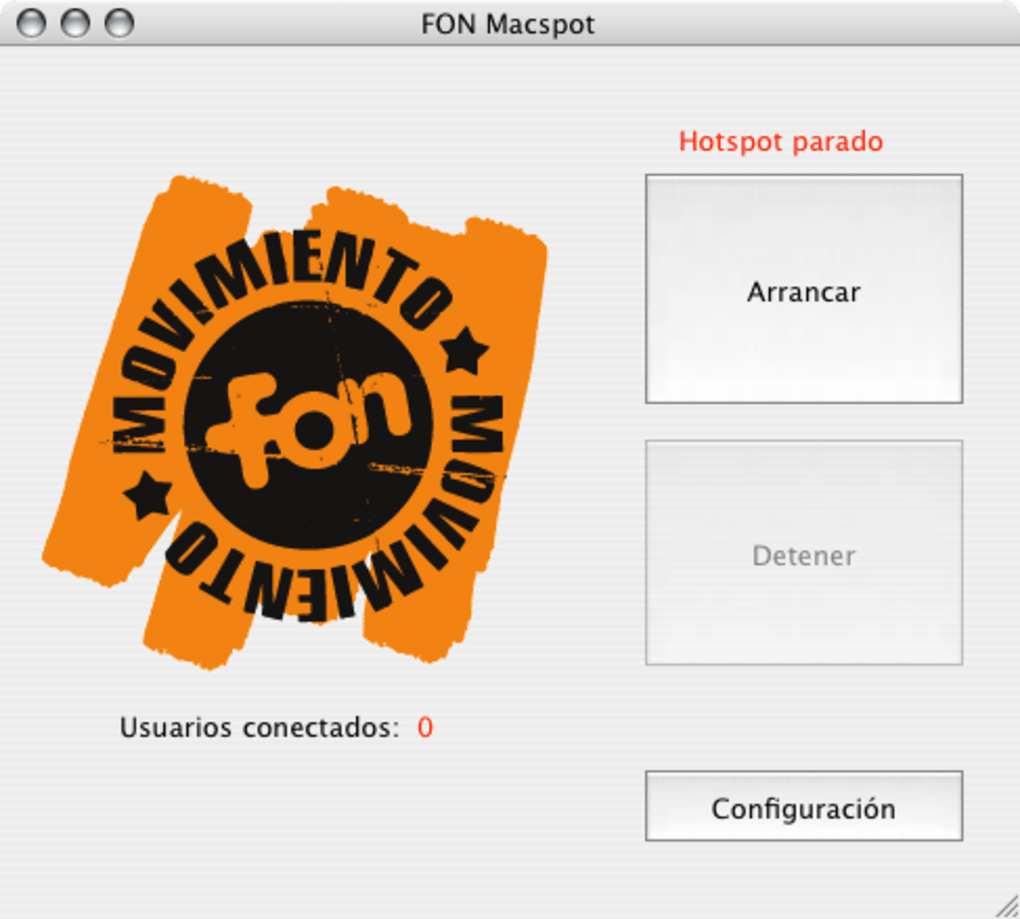
Fon Spot’s design philosophy focuses on minimalism. The user interface presents just three main controls: Enable Hotspot, Network Settings, and Stop. This stripped‑down approach reduces the learning curve for users who may be unfamiliar with networking concepts. Once enabled, the application automatically assigns a private IP range (192.168.1.x) and begins broadcasting the SSID you specify.
Regarding compatibility, Fon Spot is officially supported on Mac OS X 10.3 (Panther) through macOS 12 (Monterey). While the software was originally compiled for PowerPC processors, the latest binary includes a universal binary that runs on both Intel‑based Macs and Apple Silicon (M1/M2) via Rosetta 2 translation. Users on older hardware can still install the application, though they may experience slightly longer startup times. The program runs in English only, but the intuitive iconography makes it accessible to non‑English speakers as well.
Because Fon Spot is a trial version, the feature set is intentionally limited. Advanced capabilities such as guest network isolation, detailed usage statistics, and priority traffic shaping are reserved for the paid tier. Nevertheless, the core functionality—creating a secure hotspot—is fully operational without any hidden fees. For Mac owners who need a quick, free solution to share a wired connection in coffee shops, classrooms, or home offices, Fon Spot delivers exactly what it promises.
Installation, Setup, and First‑Time Use
Installing Fon Spot is straightforward and takes only a few minutes. Follow these steps to get your Mac broadcasting in no time:
- Download the installer. Click the “Download Fon Spot” button below the article to retrieve the
.dmgfile. The file size is under 5 MB, so it downloads quickly even on slower connections. - Mount the disk image. Double‑click the downloaded
.dmgfile. macOS will open a virtual drive on your desktop showing the Fon Spot application icon. - Copy to Applications. Drag the Fon Spot icon into your
/Applicationsfolder. This step ensures the app receives the necessary permissions to modify network settings. - Grant security permissions. The first launch triggers macOS Gatekeeper. Open System Settings → Privacy & Security → Security**, and click “Open Anyway” if a warning appears. This step is required because Fon Spot is not distributed through the Mac App Store.
- Run the application. Navigate to the
Applicationsfolder and double‑click Fon Spot. A small window appears with three primary buttons: Enable Hotspot, Network Settings, and Stop.
Once the application is running, configuring your hotspot is as simple as filling out two fields:
- SSID (Network Name): Choose a recognizable name for your Wi‑Fi network. This can be anything from “MyMacHotspot” to a custom brand name.
- Password: Enter a strong, alphanumeric password. Fon Spot enforces WPA2 encryption, so a minimum of eight characters is required.
After entering the SSID and password, click Enable Hotspot. Fon Spot will immediately start the DHCP service, assign IP addresses, and broadcast the network. Nearby devices will see the new SSID in their Wi‑Fi list; select it, enter the password, and you’re connected. The application also provides a real‑time status bar showing the number of connected clients, which can be useful for monitoring usage.
When you’re finished sharing, simply click the Stop button. Fon Spot will shut down the DHCP server and cease broadcasting, returning your Mac to its normal network state. Because the program runs as a background service, you can minimize the window without interrupting the hotspot. If you need to adjust settings later—such as changing the SSID or password—click Network Settings and modify the fields.
For troubleshooting, Fon Spot writes a log file to ~/Library/Logs/FonSpot.log. Reviewing this file can help identify issues like IP conflicts or DHCP failures. The log is plain text and can be opened with any text editor. If problems persist, the FAQ section below addresses common error messages and provides step‑by‑step fixes.
Pros, Cons, and Frequently Asked Questions
Pros
- Free trial version provides all essential hotspot functionality.
- Lightweight and low‑resource consumption, suitable for older Macs.
- WPA2 encryption ensures a secure wireless network.
- One‑click start/stop interface makes it beginner‑friendly.
- Supports both Intel and Apple Silicon Macs (via Rosetta 2).
Cons
- Only available for macOS; no Windows or Linux version.
- Limited to English language interface.
- Advanced bandwidth controls require a paid upgrade.
- Trial version does not include guest network isolation.
- Support is limited to community forums; no official phone support.
FAQ – Your Fon Spot Questions Answered
Can Fon Spot share a Wi‑Fi connection over Wi‑Fi (i.e., Wi‑Fi repeater mode)?
No. Fon Spot works by creating a new Wi‑Fi hotspot from an existing wired (Ethernet) or a different Wi‑Fi network that is set to “Internet Sharing” in macOS. It does not support simultaneous Wi‑Fi‑to‑Wi‑Fi bridging, which would require a dedicated wireless adapter in repeater mode.
Why does my Mac ask for administrator privileges when I enable the hotspot?
Enabling a hotspot modifies the system’s network configuration and starts a DHCP server, actions that require elevated rights. macOS prompts for an administrator password to ensure only authorized users can change these critical settings.
Is the Wi‑Fi network created by Fon Spot visible to all nearby devices?
Yes, the SSID you configure is broadcast publicly. However, because the network is WPA2‑protected, only users who know the password can join. For added privacy, choose a unique SSID that does not reveal personal information.
Can I limit the number of devices that connect to my Fon Spot hotspot?
The trial version does not include a client‑limit setting. The paid upgrade adds a “Maximum Clients” option, allowing you to cap connections at a specific number (e.g., 5 devices). This helps preserve bandwidth for critical tasks.
What should I do if my hotspot disappears after a macOS update?
First, ensure that you have granted the necessary “Full Disk Access” and “Network Extensions” permissions under System Settings → Privacy & Security. Then, reinstall Fon Spot from the latest .dmg available on the official site. If the issue persists, check the log file (~/Library/Logs/FonSpot.log) for error messages and contact the community forum for assistance.
Fon Spot delivers a reliable, no‑cost way to turn any Mac into a Wi‑Fi hotspot. While its feature set is modest compared with modern router apps, its ease of use and low system impact make it an excellent choice for occasional sharing. Users who need granular bandwidth controls should consider the paid upgrade.
Conclusion & Call to Action
In a world where constant connectivity is essential, Fon Spot fills a niche for Mac users who need a quick, secure, and free method to broadcast their Internet connection. Its minimalistic design, WPA2 encryption, and low‑resource footprint mean you can set up a hotspot in under two minutes without compromising system performance. Although the software is limited to macOS and lacks some advanced features found in premium solutions, the trial version offers all the core capabilities most casual users require.
If you regularly travel with a laptop, work in co‑working spaces, or simply want to share a wired Ethernet link with a smartphone or tablet, Fon Spot is a practical, no‑frills option. The straightforward installation process and intuitive one‑click controls lower the barrier for anyone—even those with limited networking knowledge—to create a secure Wi‑Fi network on the fly.
Ready to give your Mac the power of a wireless hotspot? Download Fon Spot now and experience hassle‑free sharing today. Should you need more control, the paid upgrade unlocks bandwidth throttling, client limits, and detailed usage analytics, turning your Mac into a fully featured Wi‑Fi hub. Whichever path you choose, Fon Spot remains a solid, secure foundation for Mac‑based Internet sharing.







